
TL;DR
The .htaccess file allows you to manage web server configuration, and htaccess rewrites are a key feature that uses Apache's mod_rewrite module to manipulate URL requests dynamically. By using directives like RewriteRule and RewriteCond, you can transform complex URLs into clean, user-friendly ones, implement permanent (301) redirects for SEO, and enforce security policies like forcing HTTPS. This process is essential for modern web development, improving both user experience and search engine ranking.
Foundations of .htaccess Rewrites: Understanding Core Directives
Before writing complex rules, it is crucial to understand the fundamental components that power URL rewriting in Apache. At its core, this functionality is handled by mod_rewrite, a powerful and flexible rule-based engine. To begin using it, you must first enable the engine within your .htaccess file. This is done with a single line that activates all subsequent rewriting logic for the current directory context.
# Enable the rewrite engine
RewriteEngine On
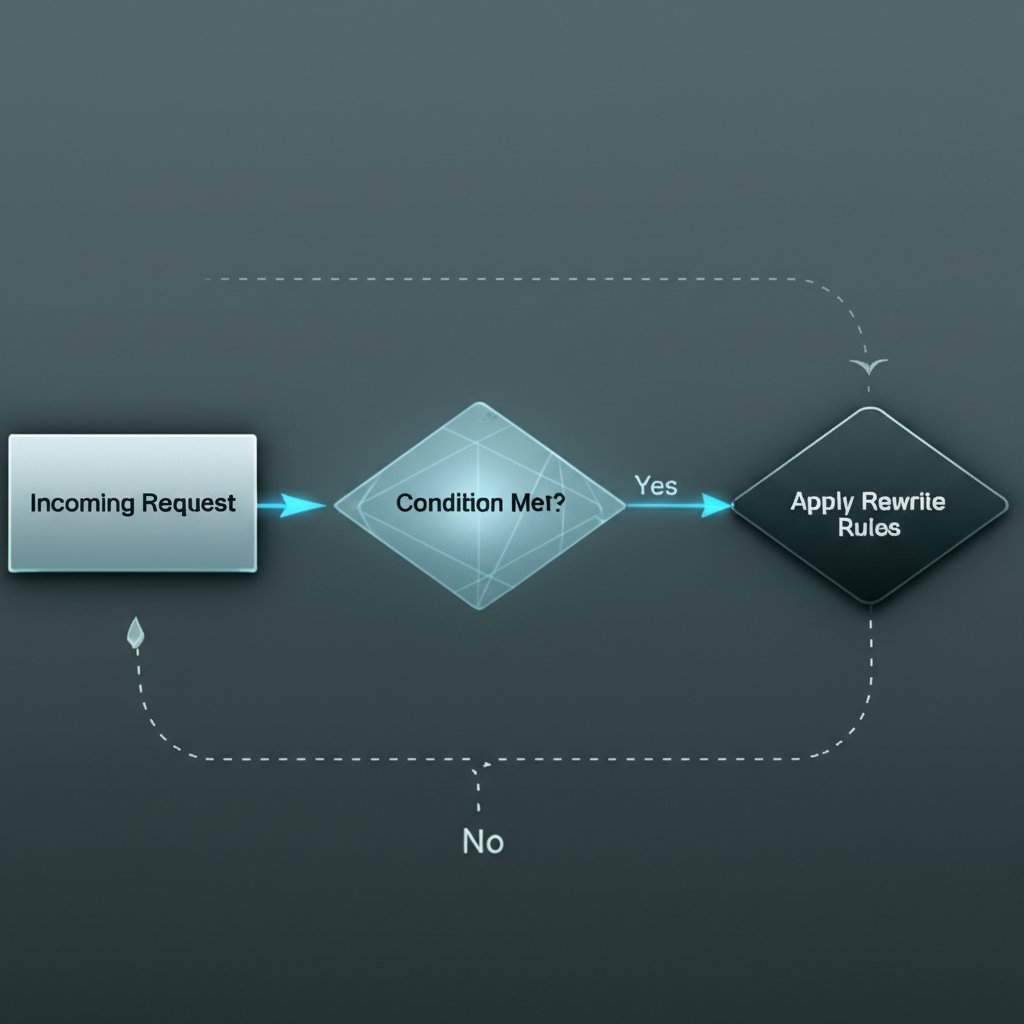
Once the engine is active, the two primary directives you will use are RewriteCond and RewriteRule. Think of them as an if-then statement. A RewriteCond (Rewrite Condition) defines a test that must be met for the corresponding rule to be executed. You can have multiple conditions, and they are checked against server variables like the requested hostname (%{HTTP_HOST}) or the requested URI (%{REQUEST_URI}). A condition must be met for the next rule to be processed.
The RewriteRule (Rewrite Rule) is the action itself. It defines a pattern to match against the requested URL path and specifies what to replace it with. If the preceding RewriteCond directives are true (or if there are none), Apache will attempt to match the URL against the RewriteRule pattern. The basic syntax is RewriteRule Pattern Substitution [Flags]. The order of your rules is critical, as Apache processes them sequentially from top to bottom. A common flag, [L], tells Apache to stop processing further rules if the current one matches.
Here is a basic example that redirects an old page to a new one. This snippet demonstrates the simple use of a RewriteRule without a condition. The [R=301,L] flags specify a permanent redirect (important for SEO) and make this the last rule to be processed.
RewriteEngine On
# Redirect an old page to a new page permanently
RewriteRule ^old-page\.html$ /new-page.html [R=301,L]
Common .htaccess Rewrite Scenarios: A Practical Cookbook
The true power of .htaccess rewrites lies in their practical application to solve common web development challenges. From improving SEO to creating a better user experience, a few well-crafted rules can significantly enhance your site's structure. Below are several common scenarios with commented, production-ready code snippets that you can adapt for your own use.
Creating Clean, SEO-Friendly URLs
Dynamic websites often produce URLs with query strings (e.g., page.php?id=123), which are not ideal for users or search engines. A rewrite rule can transform this into a clean URL like /page/123/. This rule captures the numeric ID from the clean URL and internally passes it as a parameter to the PHP script.
RewriteEngine On
# Rewrite /page/123/ to page.php?id=123
RewriteRule ^page/([0-9]+)/?$ page.php?id=$1 [NC,L]
Implementing Essential SEO Redirects
Consistent URLs are vital for SEO. You should choose one canonical domain (either `www` or non-`www`) and one protocol (HTTPS) and redirect all other versions. The following rules handle these critical redirects.
RewriteEngine On

# Force non-www
RewriteCond %{HTTP_HOST} ^www\.example\.com [NC]
RewriteRule ^(.*)$ http://example.com/$1 [L,R=301]

# Force HTTPS
RewriteCond %{HTTPS} off
RewriteRule ^(.*)$ https://%{HTTP_HOST}%{REQUEST_URI} [L,R=301]
Removing File Extensions
To create cleaner and more memorable URLs, you can remove file extensions like .html or .php. This rule checks if a request for a URL (e.g., /about) corresponds to an actual file (/about.php) on the server and serves it without changing the URL in the browser bar.
RewriteEngine On
# Remove .php file extension
RewriteCond %{REQUEST_FILENAME} !-d
RewriteCond %{REQUEST_FILENAME}\.php -f
RewriteRule ^(.*)$ $1.php [L]
Before deploying any changes, it is highly recommended to validate your syntax. A mistake in your .htaccess file can bring your entire website down. Use an online tool like the htaccess tester to check your rules and prevent potential server errors.
Advanced Techniques: Mastering Regular Expressions and Rewrite Flags
To unlock the full potential of mod_rewrite, you must become comfortable with regular expressions (regex) and the various flags that modify rule behavior. Regular expressions provide a concise and powerful syntax for matching complex patterns in URLs, allowing for highly flexible and specific rules. Understanding them is the key to moving beyond simple redirects.
At its core, a regex is a sequence of characters that specifies a search pattern. For example, ^ marks the beginning of a string, $ marks the end, and [0-9]+ matches one or more digits. Parentheses () are used to capture parts of the pattern, which can then be reused in the substitution string as backreferences like $1, $2, and so on. This is fundamental for creating clean URLs from complex parameters. For a deep dive into all capabilities, the official Apache mod_rewrite documentation is the definitive resource.
The following table breaks down some of the most essential regex metacharacters used in .htaccess rewrites:
| Character | Description |
|---|---|
^ |
Matches the beginning of the string. |
$ |
Matches the end of the string. |
. |
Matches any single character (except a newline). |
* |
Matches the preceding character zero or more times. |
+ |
Matches the preceding character one or more times. |
() |
Groups characters and captures the match for use as a backreference (e.g., $1). |
[] |
Matches any single character within the brackets (e.g., [a-z]). |
| |
Acts as an OR operator (e.g., jpg|gif|png). |
Equally important are the flags that append a RewriteRule in square brackets. These flags control how the rule is processed. While L and R=301 are common, others provide critical functionality for more complex scenarios.
| Flag | Name | Description |
|---|---|---|
L |
Last | Stops the processing of subsequent rewrite rules. |
NC |
No Case | Makes the pattern match case-insensitive. |
R |
Redirect | Issues an HTTP redirect to the browser (e.g., R=301 for permanent). |
F |
Forbidden | Returns a 403 Forbidden error to the client. |
QSA |
Query String Append | Appends any existing query string from the original request to the rewritten URL. |
OR |
Or | Chains multiple RewriteCond directives, making the rule apply if any of them are true. |
Combining these elements allows for sophisticated rules, such as preventing image hotlinking. The following rule checks if the request for an image file did not originate from your own domain and, if so, returns a forbidden error. This protects your bandwidth from being used by other websites.
RewriteEngine On
RewriteCond %{HTTP_REFERER} !^$
RewriteCond %{HTTP_REFERER} !^http(s)?://(www\.)?example.com [NC]
RewriteRule \.(jpg|jpeg|png|gif)$ - [NC,F,L]
Frequently Asked Questions
1. What is the difference between Redirect and RewriteRule?
A Redirect is a simple directive from the mod_alias module used for straightforward, static redirects from one URL to another. It's easy to use but less flexible. A RewriteRule, part of the more powerful mod_rewrite module, can perform complex pattern matching using regular expressions and can either internally rewrite a URL (no change in the browser) or issue an external redirect. For any conditional or pattern-based redirection, RewriteRule is the correct tool.
2. How do I debug my .htaccess rewrite rules?
Debugging can be challenging. First, always test your rules in a development environment or using an online htaccess tester before deploying to a live site. Second, check your Apache error logs, as they often contain detailed information about syntax errors. For more advanced debugging, you can enable Apache's rewrite log (RewriteLog and RewriteLogLevel directives), which provides a step-by-step account of how the rules are being processed, though this may require server-level access.
3. Do .htaccess rewrites affect performance?
Yes, they can. Because the .htaccess file is read and interpreted on every single request, complex rules or a large number of rules can introduce a small amount of overhead. For optimal performance on high-traffic sites, it is recommended to move rewrite logic into the main server configuration file (e.g., httpd.conf or a virtual host file) if you have access. For most websites on shared hosting, however, the performance impact of well-written .htaccess rules is negligible.