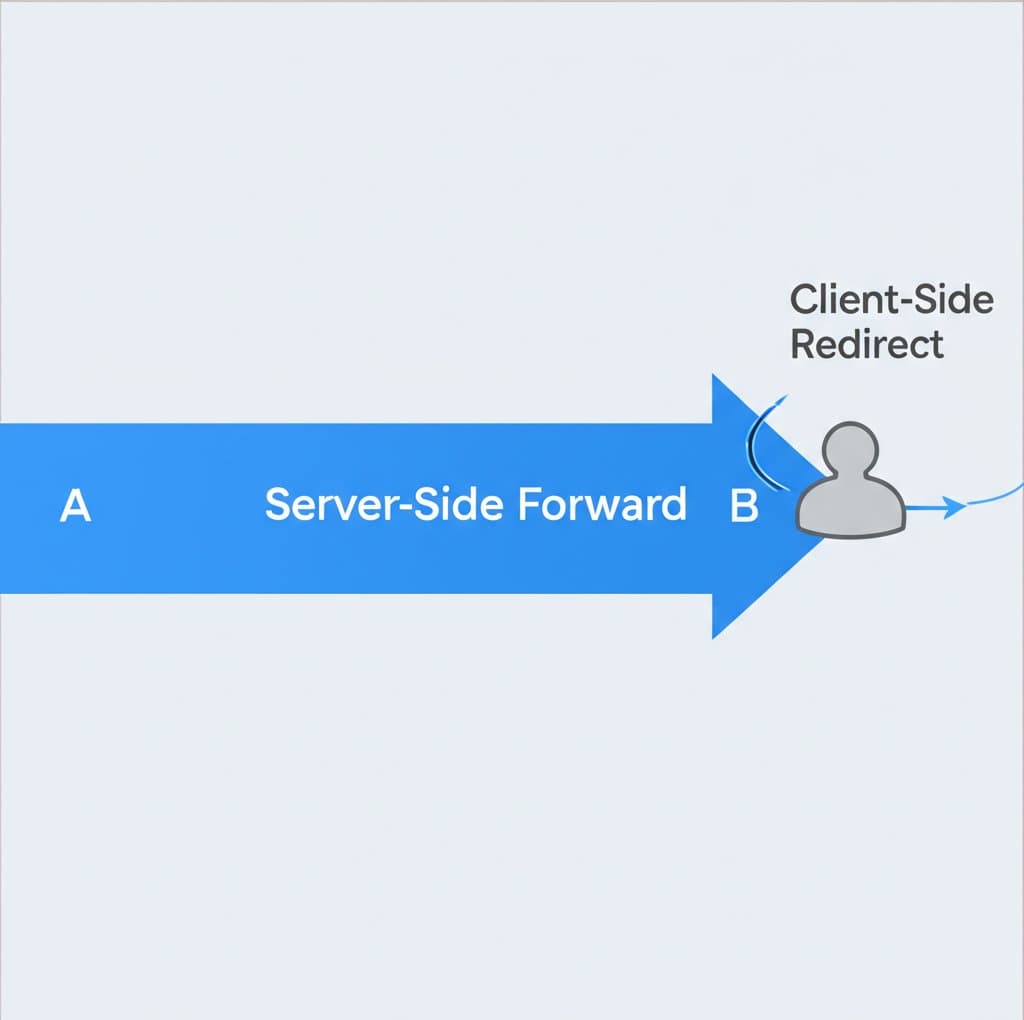
TL;DR
A redirect is a client-side action where a server instructs the browser to make a completely new request to a different URL. This change is visible in the browser's address bar. In contrast, a forward is a server-side action that internally passes a request to another resource on the same server. This process is completely transparent to the user, and the original URL in the browser does not change.
The Core Difference in Web Development: Client-Side vs. Server-Side
In the context of web development, particularly with technologies like Java Servlets or the Spring framework, understanding the distinction between a redirect and a forward is fundamental. The primary difference lies in where the action takes place: a redirect involves the client's browser, while a forward is handled exclusively within the server.
A redirect works by sending a specific HTTP response back to the client. When the server decides a redirect is necessary, it sends a response with a 3xx status code (typically 302 for a temporary redirect) and a Location header containing the new URL. The browser receives this response and automatically initiates a new, separate request to that new URL. Because this involves two distinct requests—the original one from the client and the new one to the redirected URL—it is inherently slower due to the additional round-trip time. As noted in a detailed guide on servlets from Baeldung, this process creates a new request object, meaning any data stored in the original request scope is lost.
Conversely, a forward is an internal server process that is invisible to the client. When a resource on the server decides to forward a request, it passes the existing HttpServletRequest and HttpServletResponse objects to another resource (like another servlet or a JSP page) within the same application. The servlet container manages this transfer directly without ever telling the browser. Consequently, the URL in the browser's address bar remains unchanged. This single-request process is more efficient and preserves all data stored in the request scope, making it ideal for architectures like Model-View-Controller (MVC) where a controller processes data and then forwards the request to a view for rendering.
This distinction has significant implications for application design. According to Java Practices, a forward is suitable for operations that can be safely repeated if the user reloads the page, such as displaying data (a SELECT operation). However, for actions that modify data (like INSERT, UPDATE, or DELETE), a redirect is essential. Using a redirect after a form submission follows the Post/Redirect/Get (PRG) pattern, which prevents users from accidentally resubmitting the form and creating duplicate data by simply refreshing the page.
Key Technical Distinctions at a Glance
To clarify these concepts, consider the following breakdown of their technical attributes:
| Attribute | Redirect | Forward |
|---|---|---|
| Process Location | Client-Side (instructed by server) | Server-Side (internal dispatch) |
| URL in Browser | Changes to the new URL | Remains the original URL |
| Performance | Slower (two client-server round trips) | Faster (one request, handled internally) |
| Request Data | Original request scope is lost | Original request scope is preserved |
| Typical Use Case | After a form submission (PRG pattern), domain migration | Passing control from controller to view in MVC |
Redirect vs. Forward in Email: Preserving the Original Sender
While the terms are central to web development, they also have a distinct and important meaning in the context of email management. The choice between forwarding and redirecting an email primarily affects how the final recipient perceives the message's origin.
Forwarding an email is the more common action for most users. When you forward a message, you are essentially creating a new email that encapsulates the original one. Your email address appears in the 'From' field, making you the sender. The subject line is often prefixed with "Fw:", clearly indicating that it's a forwarded message. This method is useful when you want to add your own comments or context before sending the message on to someone else. A copy of the message also typically remains in your inbox.
Redirecting an email, on the other hand, is a more transparent process that preserves the original sender's information. When a rule redirects an email, the message is sent to the new recipient as if it came directly from the original source. The 'From' field shows the original sender's address, and there is no "Fw:" in the subject. This is an automated process, often set up via server-side rules, and is ideal for situations like migrating from an old email address to a new one. For example, if you set up a redirect from `[email protected]` to `[email protected]`, any email sent to the old address will arrive at the new one, and you can reply to the original sender directly without them ever knowing the message was rerouted.
The key takeaway, as explained by Florida State University's IT services, is that redirection maintains the integrity of the original message, while forwarding repackages it from you. This makes redirection a powerful tool for seamless email transitions, whereas forwarding is better suited for ad-hoc sharing with added commentary.
Making the Right Choice for Your Use Case
Choosing between a redirect and a forward depends entirely on your goal and the context, whether in web development or email. The decision boils down to a few key questions: Should the user be aware of the change? Do you need to preserve data from the initial request? Who should appear as the sender?
When to Use a Redirect
A redirect is the correct choice when you need to send the user to a completely different URL and make them aware of it. Key scenarios include:
- After Form Submissions: To prevent duplicate submissions on page refresh (the PRG pattern).
- Domain or URL Changes: When a page has permanently moved, a 301 redirect ensures that users and search engines are sent to the new location, preserving SEO value.
- Directing to External Resources: When you need to send a user to a different website entirely.
- Authentication Flows: Sending users to a login page and then returning them to their original destination after successful authentication.
When to Use a Forward
A forward is best when you want to handle a request internally using multiple resources without alerting the user. This is common in application logic:
- MVC Frameworks: A controller servlet processes a request and then forwards it to a view (like a JSP or Thymeleaf template) to render the final HTML page.
- Hiding Resource Paths: To present clean, user-friendly URLs while internally accessing resources located at more complex or less sightly paths.
- Enhancing a Request: One component can add attributes to the request object before forwarding it to another component that will use that data for further processing.

Frequently Asked Questions
1. Is redirect one word or two?
Redirect is a single word. It functions as both a verb (e.g., "to redirect traffic") and a noun (e.g., "set up a redirect").
2. What is the difference between forward and redirect in Spring?
In the Spring MVC framework, the concept is identical to the general web development definition. A controller method typically returns a string that represents a view name. By default, this performs a forward. To trigger a redirect, you must prefix the return string with redirect:. For example, returning "myView" forwards to the `myView` template, while returning "redirect:/some/url" sends an HTTP redirect to the client's browser, instructing it to request `/some/url`.
3. What is the difference between redirect and transfer?
The term "transfer" is often used in specific platforms, like ASP.NET's Server.Transfer, and is functionally equivalent to a forward. Both are server-side operations that pass control from one resource to another without informing the client or changing the browser URL. The core distinction remains the same: a transfer/forward is server-side, while a redirect is a client-side instruction that results in a new request.