TL;DR
RESTful API response codes are standardized three-digit HTTP status codes that a server returns to a client to indicate the outcome of an API request. These codes are grouped into five distinct classes (1xx-5xx) that signify whether a request was successful, resulted in a client-side or server-side error, requires redirection, or is purely informational. Understanding these codes is fundamental for developers to efficiently build, debug, and maintain robust API integrations.
Understanding the 5 Classes of HTTP Status Codes
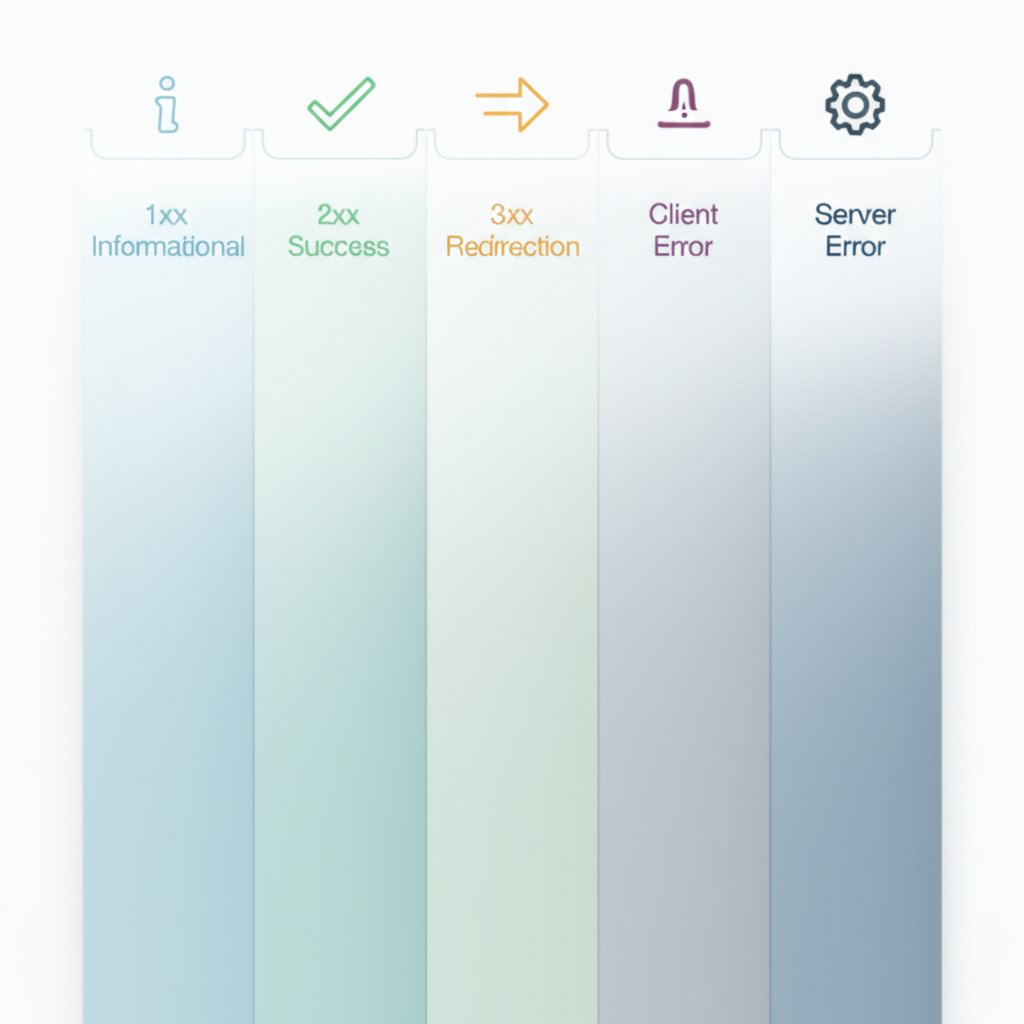
HTTP response status codes provide a universal language for clients and servers to communicate the results of a request. This system is organized into five classes, each identified by its first digit. This classification allows developers to quickly ascertain the general outcome of an API call before inspecting the response body for specific details. A clear grasp of these categories is the first step toward effective API interaction and troubleshooting.
Each class represents a different type of server response. For instance, a response in the 200 range signals success, while a code in the 400 range indicates an issue with the client's request. According to Mozilla's MDN Web Docs, this structured approach ensures that client applications can programmatically handle responses in a predictable manner, such as retrying a request after a server error or prompting a user to correct invalid input.
The distinction between client errors (4xx) and server errors (5xx) is particularly critical. A 4xx error, such as a 400 Bad Request, means the server believes the client has made a mistake—perhaps by sending malformed data or requesting a non-existent resource. In contrast, a 5xx error, like a 500 Internal Server Error, indicates that the client's request was valid, but the server failed to fulfill it due to an internal problem. This distinction is crucial for debugging, as it directs the developer to look for the problem in either the client-side code or the server-side infrastructure.
| Class | Category | General Meaning |
|---|---|---|
| 1xx | Informational | The request has been received and the server is continuing the process. |
| 2xx | Success | The request was successfully received, understood, and accepted. |
| 3xx | Redirection | Further action must be taken by the client to complete the request. |
| 4xx | Client Error | The request contains bad syntax or cannot be fulfilled. |
| 5xx | Server Error | The server failed to fulfill a valid request due to an error on its side. |
Deep Dive: Common 2xx (Success) and 3xx (Redirection) Codes
While the 2xx class broadly signifies success, different codes provide crucial details about the specific outcome of a request, which is essential in RESTful API design. Similarly, 3xx codes manage resource locations, guiding clients when a resource has been moved. Using the correct code ensures that client applications behave as expected and that the API adheres to standard conventions.
The most common success code is 200 OK, which is a general-purpose response for a successful request, typically used for GET and PUT/PATCH operations where a resource is returned in the response body. However, when a new resource is created via a POST request, the more specific 201 Created is the appropriate response. As detailed by API resources like RESTful API Tutorial, a 201 response should also include a Location header pointing to the URL of the newly created resource. For operations that succeed but do not need to return any data, such as a DELETE request, 204 No Content is used. This tells the client the action was successful without sending an unnecessary response body.
Another important success code is 202 Accepted. This indicates that the request has been accepted for processing, but the work has not yet been completed. This is ideal for asynchronous tasks or long-running batch jobs where the client doesn't need to wait for the process to finish. The server can provide a link to a status monitor in the response body where the client can check on the job's progress later.
In the redirection class, 301 Moved Permanently is a critical code for API evolution. It informs the client that a resource has been permanently moved to a new URL, which is provided in the Location header. Clients, especially automated ones, should update their configurations to use the new URL for all future requests. This ensures that API changes, such as version updates or endpoint restructuring, do not break client integrations permanently.
| Code | Name | Common HTTP Method | Response Body |
|---|---|---|---|
| 200 OK | OK | GET, PUT, PATCH | Expected |
| 201 Created | Created | POST | Optional (Location header is key) |
| 204 No Content | No Content | DELETE, PUT, PATCH | Not allowed |
Navigating 4xx (Client Error) Codes: A Developer's Guide
The 4xx class of status codes is arguably the most important for an API consumer to understand, as it signals that an error occurred due to an issue with the client's request. Properly handling these errors is key to creating a resilient application. These responses are not failures of the server, but rather an indication that the server could not process the request as it was sent. A well-designed API will not only return the correct 4xx code but also include a descriptive error message in the response body to facilitate debugging.
The most common client error is 400 Bad Request, a catch-all response for issues like malformed JSON, invalid syntax, or missing required parameters. For instance, if an API expects an email address but receives a simple string, it should respond with a 400. A more specific error, 404 Not Found, indicates that the server could not find the resource at the requested URI. This could mean the endpoint is incorrect or the specific item (e.g., a user with a given ID) does not exist.
A frequent point of confusion for developers is the difference between 401 Unauthorized and 403 Forbidden. The 401 code specifically relates to authentication; it means the client has not provided valid credentials (or any at all) and must authenticate to proceed. In contrast, 403 means the client's identity is known to the server (i.e., they are authenticated), but they do not have the necessary permissions to access the requested resource. For example, a standard user trying to access an admin-only endpoint would receive a 403 Forbidden response.
Another useful code is 405 Method Not Allowed. This is returned when a client uses an HTTP method that is not supported by the resource. For example, sending a PUT request to a resource that only accepts GET and POST would trigger a 405. The server's response in this case must include an Allow header that lists the valid HTTP methods for that resource (e.g., Allow: GET, POST). As a best practice, all 4xx error responses should include a JSON body that provides clear, actionable information for the developer.
For example, a 400 Bad Request response body should look something like this:
{
  "error": "InvalidInput",
  "message": "The email address provided is not in a valid format.",
  "field": "email"
}
Troubleshooting 5xx (Server Error) Codes
While 4xx errors point to a problem on the client side, 5xx status codes indicate that a valid request failed because of an issue on the server. For a client-side developer, receiving a 5xx error means the problem is beyond their control. However, understanding the different 5xx codes can help in diagnosing the issue, reporting it effectively, and implementing appropriate client-side behavior like retry mechanisms.
The most generic server error is 500 Internal Server Error. This is a catch-all code indicating that the server encountered an unexpected condition that it did not know how to handle, such as an unhandled exception in the application code or a database connection failure. While it confirms the fault lies with the server, it provides little specific information. Developers should check server logs to diagnose the root cause of a 500 error.
More specific server errors provide better context. A 502 Bad Gateway error occurs when a server acting as a gateway or proxy receives an invalid response from an upstream server. This is common in microservice architectures or when using a reverse proxy; it means the edge server is working, but a backend service it depends on is not responding correctly. A 503 Service Unavailable code indicates that the server is temporarily unable to handle the request, often due to being overloaded or down for maintenance. A key feature of a 503 response is that it may include a Retry-After header, advising the client how long to wait before attempting the request again.
Finally, a 504 Gateway Timeout is returned when a server acting as a gateway did not receive a timely response from an upstream service it needed to access to complete the request. This differs from a 502 in that the gateway did not get any response within its timeout period, whereas with a 502, it received an invalid response. For clients, encountering 5xx errors, particularly 503, should trigger a retry strategy, often with exponential backoff to avoid overwhelming a recovering server.
| Code | Name | Likely Cause | Client Action |
|---|---|---|---|
| 500 | Internal Server Error | Unhandled application exception, database error. | Retry later; report the issue if persistent. |
| 502 | Bad Gateway | An upstream service returned an invalid response. | Retry later; the issue is within the server's infrastructure. |
| 503 | Service Unavailable | Server is overloaded or under maintenance. | Retry after the delay specified in the Retry-After header. |
Implementing Status Codes for Robust API Design
Correctly implementing RESTful API response codes is not merely a technical formality; it is a cornerstone of creating a predictable, reliable, and developer-friendly API. By providing clear and standardized feedback, you empower consumers of your API to build more resilient applications and debug issues with greater efficiency. Adhering to these conventions reduces ambiguity and improves the overall developer experience.
The core principle is to be as specific as possible. Instead of defaulting to a generic 200 OK or 400 Bad Request, select the code that most accurately describes the outcome. A successful resource creation should return 201 Created with a Location header. A failed authorization attempt should return 403 Forbidden, not 401 Unauthorized if the user is already authenticated. This precision provides invaluable context that helps client-side logic function correctly without needing to parse response bodies to determine the outcome of a request.
Ultimately, thoughtful use of HTTP status codes transforms an API from a simple data endpoint into a self-describing service. When combined with meaningful error messages in the response body for 4xx and 5xx errors, these codes create a robust communication channel that minimizes guesswork and frustration. This commitment to clarity and standards is a hallmark of high-quality API design.

Frequently Asked Questions
1. What are REST API response codes?
REST API response codes are three-digit HTTP status codes returned by a server to indicate the result of a client's request. They are categorized into five classes (1xx-5xx) to quickly communicate outcomes such as success (2xx), client errors (4xx), or server errors (5xx), enabling developers to handle responses programmatically.
2. What is the difference between error codes 500, 502, and 503?
A 500 Internal Server Error is a generic code for an unexpected server-side problem. A 502 Bad Gateway means a server acting as a proxy received an invalid response from a backend service. A 503 Service Unavailable indicates the server is temporarily down for maintenance or overloaded and cannot handle the request.
3. What do 2xx, 3xx, 4xx, and 5xx mean in an API?
These prefixes represent the five classes of HTTP status codes. 2xx codes signify success. 3xx codes indicate redirection, requiring further action from the client. 4xx codes represent client-side errors (e.g., a bad request). 5xx codes indicate server-side errors where the server failed to fulfill a valid request.
4. What is the difference between HTTP 200, 201, and 202?
200 OK is a general success code for requests like GET. 201 Created specifically confirms that a request (usually POST) has successfully resulted in the creation of a new resource. 202 Accepted means the request has been received for processing but is not yet complete, which is common for asynchronous operations.