
TL;DR
The term "202 error code" has two distinct meanings depending on the context. For web developers, it refers to the HTTP 202 Accepted status, which signals that a server has received a request for processing but hasn't completed it yet; this is common for long-running, asynchronous tasks. For consumers, a "202 error code" often appears on devices like Samsung TVs and typically indicates a network connectivity problem, such as an issue with your Internet Service Provider (ISP) or local Wi-Fi setup.
What Is the HTTP 202 Accepted Status Code?
The HTTP 202 Accepted status code is a standard response in the 2xx success category, but with a crucial distinction: it signifies acceptance, not completion. According to authoritative sources like the Mozilla Developer Network (MDN), a 202 response is intentionally non-committal. It allows a server to acknowledge a request for a process—like generating a large report or running a batch job—without forcing the client to maintain a connection until the task is finished. The server essentially says, "I've received your request and will work on it, but I'm not done yet."
This approach is fundamental for handling asynchronous operations efficiently. When a task is expected to take a significant amount of time, making the client wait for a final response would be impractical and could lead to timeouts. Instead, the server accepts the task, places it in a queue, and immediately returns a 202 status. The official specification notes that the response body should ideally include an indicator of the request's current status and a pointer to a status monitor, allowing the client to check on the progress later.
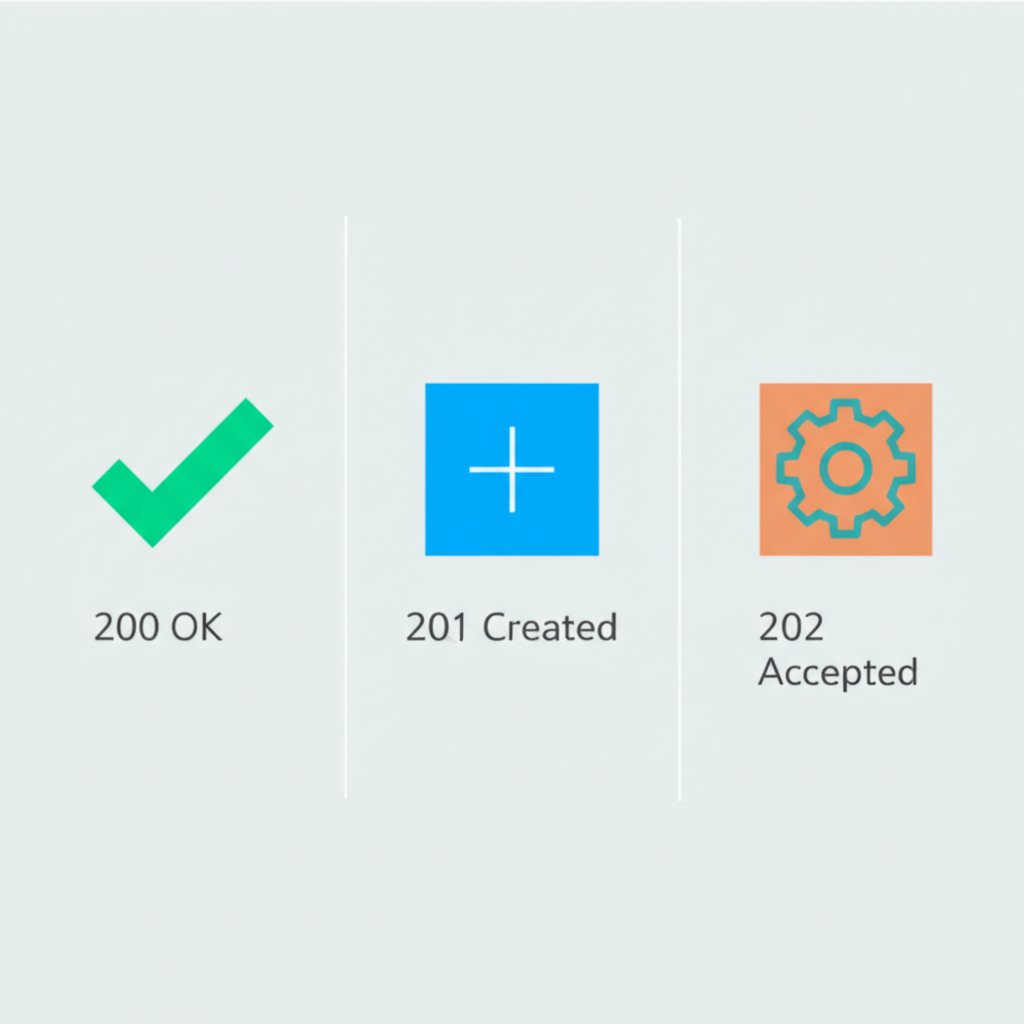
To better understand its role, it's helpful to compare the 202 status code with other common success codes. While all indicate success on the server's part, their meanings and use cases are very different, which is a frequent point of confusion for developers.
| Status Code | Meaning | Use Case |
|---|---|---|
| 200 OK | The request has succeeded. | Standard response for successful synchronous requests, like retrieving a webpage (GET) or submitting a form that completes instantly. |
| 201 Created | The request has been fulfilled and a new resource has been created. | Used after a POST or PUT request successfully creates a new item, such as a new user account or a blog post. |
| 202 Accepted | The request has been accepted for processing, but is not yet complete. | Ideal for asynchronous, long-running tasks like video processing, data analysis, or sending a batch of emails. |
In practice, when a client receives a 202 response, it should not assume the task will succeed. The processing might fail later. The correct way to handle this, as detailed by resources like Restfulapi.net, is for the server to provide a URL in the response (often in a `Location` header or the response body) where the client can poll for status updates. The client can then send periodic GET requests to this URL until it receives a final status, such as 200 OK (for success) or a 5xx code (for a server-side failure).
How to Troubleshoot the '202 Error Code' on Consumer Devices
If you're not a developer and you've encountered a "202 error code" on your smart TV, streaming device, or another gadget, it's important to understand that this is almost certainly not related to the technical HTTP status code. In the world of consumer electronics, this error code has been repurposed to signify a network connection failure. It's particularly common with Samsung TVs, where it often means the device is unable to communicate with its servers due to a problem with your internet connection.
The most frequent cause is an issue with your Internet Service Provider (ISP) or your local network hardware (modem and router). Your ISP might be experiencing an outage, or it could be blocking the connection for some reason. Alternatively, your own router or modem may have encountered a temporary glitch that is preventing your device from getting online properly.
Fortunately, the fix is often straightforward and involves power-cycling your network equipment. This process resets the hardware and can clear up many common connectivity issues. Follow these steps in order:
- Unplug your modem from the power outlet.
- Unplug your Wi-Fi router from the power outlet.
- Unplug your device (e.g., your Samsung TV) from the power outlet.
- Wait for at least 60 seconds. This allows the devices to fully power down and clear their memory.
- Plug the modem back in first. Wait for all its indicator lights to become solid (usually 1-2 minutes), which shows it has established a connection with your ISP.
- Plug your Wi-Fi router back in. Wait for its indicator lights to become solid, indicating it's broadcasting a network.
- Finally, plug your device back in and turn it on. Try connecting to the internet again.
If you complete these steps and the 202 error persists, the problem is likely outside of your home network. At this point, you should contact your Internet Service Provider. Inform them about the error and the steps you've already taken. They can check for service outages in your area or determine if they are blocking the connection for any reason.
Implementing 202 Accepted in a REST API
For developers building RESTful services, the 202 Accepted status code is the standard and most effective way to handle long-running, asynchronous operations. Using it correctly improves the user experience by preventing application frontends from freezing while waiting for a slow background process to complete. The architectural pattern is clear and widely adopted.
The typical workflow begins when a client sends a request, usually a `POST`, to initiate a time-consuming task. For example, a user might request to export a large dataset into a CSV file. Instead of processing this export synchronously, which could take minutes and lock up the user's interface, the server should validate the request, queue the job for a background worker, and immediately return a 202 Accepted response.
This initial response must include a way for the client to track the job's progress. The best practice is to include a `Location` header or a URL within the JSON response body that points to a status-monitoring endpoint. As explained by developer resources like WebFX, this allows the client to poll for updates without tying up the initial connection.
Here is an example of what an initial 202 response might look like after a client requests a report generation:
HTTP/1.1 202 Accepted
Content-Type: application/json
Location: /api/tasks/a1b2-c3d4-e5f6

{
  "taskId": "a1b2-c3d4-e5f6",
  "status": "pending",
  "message": "Report generation has been queued.",
  "monitorUrl": "/api/tasks/a1b2-c3d4-e5f6"
}
Following this response, the client-side application can implement a complete asynchronous workflow:
- Client sends request: The client sends a `POST` request to `/api/reports` to start the task.
- Server accepts and responds: The server validates the request, creates a task, and immediately returns a `202 Accepted` response with the task's monitoring URL.
- Client polls for status: The client periodically sends `GET` requests to the monitoring URL (e.g., `/api/tasks/a1b2-c3d4-e5f6`).
- Server provides updates: The server responds to these polling requests with the current job status, such as `"status": "in-progress"` or `"status": "completed"`.
- Client acts on completion: Once the status is `"completed"`, the response might include a new URL to download the finished report. The client can then retrieve the final resource and stop polling.
This pattern decouples the request from the execution, leading to more robust, scalable, and user-friendly applications, especially those dealing with heavy background processing.
Frequently Asked Questions
1. What is the difference between HTTP 200 and 202?
The primary difference lies in timing and completion. A 200 OK response means the action requested by the client has been successfully and synchronously completed by the time the response is sent. A 202 Accepted response means the request has been received and is intended for processing, but the action is asynchronous and has not yet been completed. In short, 200 means "It's done," while 202 means "I've got it, and I'll work on it."
2. How should a client handle a 202 status code?
A client should not treat a 202 response as the final outcome. Instead, it should inspect the response for a monitoring URL, typically provided in a `Location` header or the response body. The client should then periodically send GET requests to this URL to poll for the status of the asynchronous task. This polling continues until the status monitor returns a final status, such as 200 OK for success or a 4xx/5xx code for an error, at which point the client can stop polling and proceed accordingly.